
 Texas 67 SystemsCall for Consultation 469-907-5567
Texas 67 Systems insights
Wired vs. Wireless: Choosing the Right Network Connection for Each Device
Wired and wireless networks work best together. Learn why laptops and mobile devices belong on Wi-Fi while stationary desktops, cameras, phones, and media gear are usually better on Ethernet.
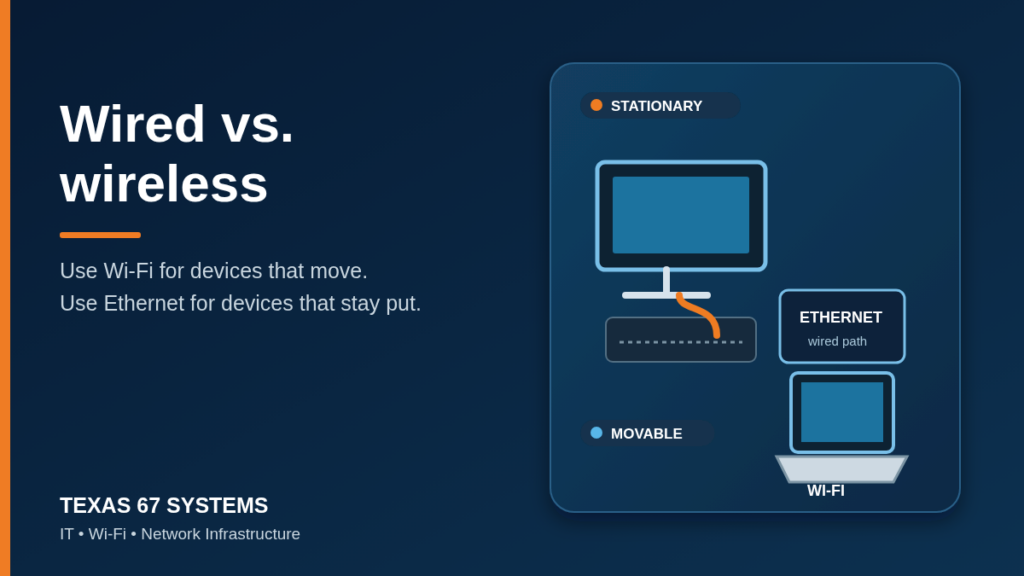
A lot of network problems start with one simple mistake: treating Wi-Fi as the answer for every device in the building.
Good Wi-Fi is important. People need to move around with laptops, phones, tablets, and handheld devices without losing their connection. But wireless was never meant to replace every cable in every situation. The practical answer is usually a blended network: use Wi-Fi for devices that move, and use Ethernet for devices that stay put.
That approach gives people the convenience they expect without asking the wireless network to carry jobs that are better handled by a cable.
Wired and wireless do different jobs
An Ethernet connection gives a device its own physical path back to the switch. That makes it a strong fit when the device has a permanent location, needs consistent performance, or supports work that should not depend on radio conditions in the room. Ethernet standards support full-duplex operation and can run over twisted-pair cabling, fiber, and other media.[1]
Wi-Fi trades that physical connection for mobility. A laptop can move from an office to a conference room. A phone can stay connected while someone walks through a house or shop. A tablet can be used at the counter, in the warehouse, or on the patio. That flexibility is the point.
Modern Wi-Fi is far better than the old "one router in the corner" setup. Wi-Fi 6 and 6E can add capacity, wider channels, and less-congested spectrum where the equipment and environment support them.[2] Still, actual wireless performance changes with distance, walls, nearby networks, client capability, access-point placement, and how many devices are trying to talk at once. A strong design accounts for those variables instead of pretending they do not exist.
Use wireless for devices that move
If a device is meant to travel, wireless is usually the right call.
Laptops are the clearest example. People carry them between rooms, meeting spaces, and job sites. Running a cable to every temporary work spot is inconvenient, and it defeats the reason people use laptops in the first place. A properly designed Wi-Fi network gives them the freedom to move while keeping cloud apps, video calls, and normal work available.
Phones, tablets, barcode scanners, smart-home controls, and many mobile point-of-sale devices belong in the same category. They need coverage, roaming, and a clean wireless signal more than they need a permanent jack in the wall.
That does not mean every laptop should avoid a cable forever. A laptop used as a docked desktop in the same office every day may benefit from a wired dock. The device is still portable, but the workstation has become stationary during the workday. There is nothing wrong with giving it both options.
Use wired Ethernet for devices that stay in one place
Desktop computers are the obvious wired choice. If a workstation sits at the same desk every day, run Ethernet to the desk. It is cleaner, more predictable, and easier to troubleshoot than asking that computer to compete for wireless airtime.
The same rule applies to equipment that is fixed in place:
- Desktop workstations and docked office setups
- Printers, copiers, and front-desk systems
- VoIP phones
- Conference-room displays and room PCs
- Network cameras, NVRs, and door-access equipment
- Smart TVs, streaming boxes, game consoles, and media-room gear
- Wireless access points themselves
Many of those devices also benefit from Power over Ethernet (PoE). A single structured cable can carry both network connectivity and power to compatible devices such as access points, phones, and cameras. IEEE 802.3 includes provisions for power over selected twisted-pair Ethernet PHYs.[1]
Wiring the stationary pieces also protects Wi-Fi capacity for the devices that genuinely need it. An access point should not have to carry a nearby desktop, a fixed TV, a printer, and every phone in the office simply because cabling was skipped.
The best Wi-Fi usually starts with wiring
This point gets missed in quick network installs. Strong wireless coverage depends on wired infrastructure behind it.
Each access point needs a sensible cable path back to the network. In an office, that may mean a ceiling-mounted access point fed from a PoE switch. In a home, it may mean planning access-point locations before drywall is closed or before a remodel makes cable runs harder. Mesh can help in the right situation, but a mesh node using a wireless backhaul still competes for wireless capacity. A wired access point has a much better foundation.
Texas 67 plans this from the ground up. During a new build, remodel, office move, or cleanup project, we look at where people work, where stationary equipment lives, and where Wi-Fi actually needs to reach. Our commercial structured cabling service covers organized data runs, patch panels, testing, labels, and access-point drops. For homes and remodels, low-voltage planning helps place Ethernet, Wi-Fi, TV/data, and equipment locations before the easy window closes.
A simple way to decide
Ask one question: does this device move as part of normal use?
If yes, start with Wi-Fi. Make sure coverage, access-point placement, and capacity fit the space.
If no, start with Ethernet. Give the device a labeled jack and a tested path back to the switch. If the device occasionally needs mobility, add Wi-Fi as a convenience, not as the only plan.
That rule is not fancy. It works. A laptop should be able to move. A desktop computer usually should be wired. Then build the network so both can do their jobs without getting in each other's way.
If your office, home, shop, or remodel needs a cleaner mix of Wi-Fi and wiring, Texas 67 Systems can help plan the practical path forward. Contact us to discuss the space, or call or text 469-907-5567.
Sources
1] [IEEE 802.3-2022: IEEE Standard for Ethernet
2] [Wi-Fi Alliance: Wi-Fi Alliance delivers more value from Wi-Fi in 6 GHz
Next step
Ready to figure out the next step?
Send the details you have. We will help turn the problem into a practical plan.