
 Texas 67 SystemsCall 469-907-5567
Managed IT for North Texas small businesses
Managed IT services for McKinney small businesses
Managed IT and business network support for the systems people use every day: Wi-Fi, devices, vendors, and the documentation that keeps the same problem from coming back.
What the work covers
Business IT support built around the systems you already use
Managed IT should begin with the actual friction in the office, not an overbuilt stack or a vague retainer. Texas 67 Systems helps small businesses turn recurring technology problems into clear priorities and supportable next steps.
Day-to-day technology support
Workstations, printers, accounts, and recurring office technology issues.
Network and Wi-Fi health
Troubleshooting and planning for business Wi-Fi, switching, firewalls, and the systems around them.
Vendor and documentation clarity
Guidance around providers, important accounts, equipment, and the details future troubleshooting depends on.
Scope and handoff
Know what your managed IT support covers
Ongoing IT support and a one-time network project solve different needs. For a McKinney office, the first conversation should identify recurring issues, who uses the systems, and which responsibilities need ongoing attention.
- Onboarding and ownership
- Review users, devices, locations, existing providers and the accounts the business controls. Record who is responsible for each part before changing access or equipment.
- Recurring support versus project work
- Clarify support hours, remote and on-site work, escalation, and what belongs in a separate project. Do not assume every equipment replacement, move or cabling job is included.
- A quote based on your office
- Staff and device counts, locations, current conditions and support needs shape the scope. Request a current quote rather than relying on a published per-user figure.
Plan around the real conditions
Start with a clear look at the environment
A reliable plan starts with the people, equipment, providers, and repeat issues already in the business. Some needs can be handled remotely; Wi-Fi coverage, equipment locations, cabling, printers, and network closets often benefit from an on-site review.
What is disrupting work?
The immediate issue may be a dropped connection, printer trouble, an inherited network, or unclear ownership.
What is behind the repeat issue?
The next step may involve placement, cabling, aging equipment, provider coordination, or a device—not just the visible symptom.
A practical process
Clear next steps, not a generic sales pitch
The goal is a clean handoff and a practical path forward: address the immediate need, record the important context, and identify the next improvement before it becomes urgent.
Review the current setup
Identify the equipment, workflow, vendors, and recurring problems that shape the scope.
Prioritize the work
Separate urgent interruptions from cleanup, maintenance, and improvement planning.
Document and support
Keep relevant network, device, provider, and access details understandable for future service.
Related business services
Support the office and the physical network together.
Questions
Common questions
Can you help remotely and on site?
Yes. Some issues can be handled remotely. Wi-Fi, cabling, printers, network closets, and physical equipment troubleshooting often benefit from an on-site visit.
Can you help with Wi-Fi and network issues?
Yes. Texas 67 can review the wider environment around Wi-Fi, switches, firewalls, routers, printers, ISP handoffs, and documentation.
What should we have ready?
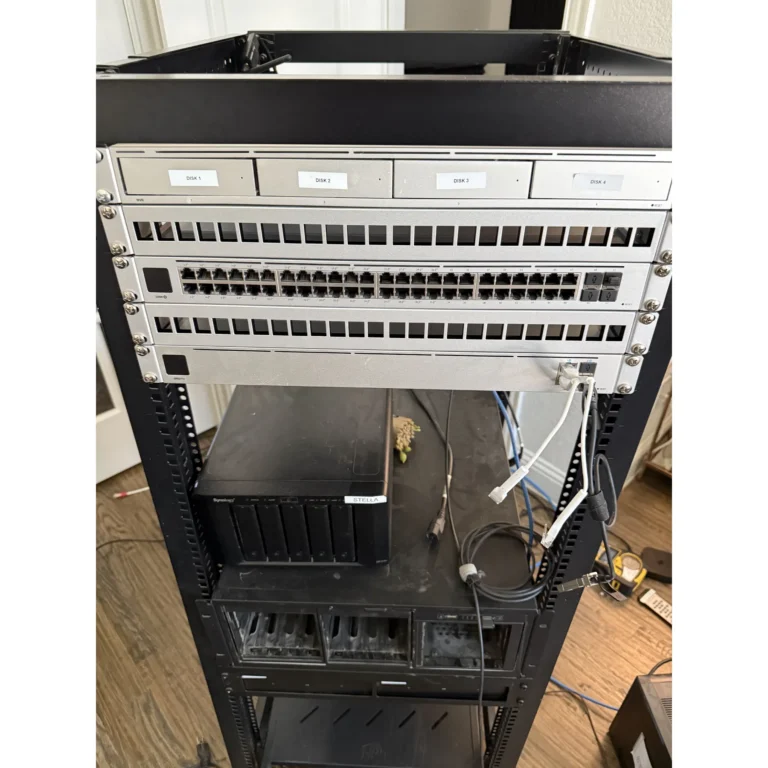
A short description of the problem, city, staff or workstation count, internet provider if known, and timing concerns are enough to start. Photos can help for physical infrastructure issues.
What is the difference between managed IT and a network installation?
Managed IT addresses recurring support and agreed responsibilities over time. Network installation is a defined project involving the physical network, equipment and configuration. A business may need one or both; the quote should distinguish them.
What should I send before requesting IT support?
Share your city, business type, approximate staff and device counts, existing providers, the recurring issue and any important deadlines. Do not send passwords, recovery codes or sensitive customer records through the inquiry form.
Related services
Connect the physical and technical work
Before you request a quote
Useful planning guides
Talk through the next step
Get a practical next step for the office
Share the city, business type, staff or workstation count, and the main issue. We can help sort out whether the next step is ongoing IT support, a network review, Wi-Fi work, cabling, or new-office planning.
Service priorities
When managed IT support is the practical next step
This page stays centered on small-business IT support in McKinney and Collin County: recurring workstation issues, unstable office Wi-Fi, undocumented network gear, vendor coordination, backup internet planning, email and account cleanup, and ongoing support.